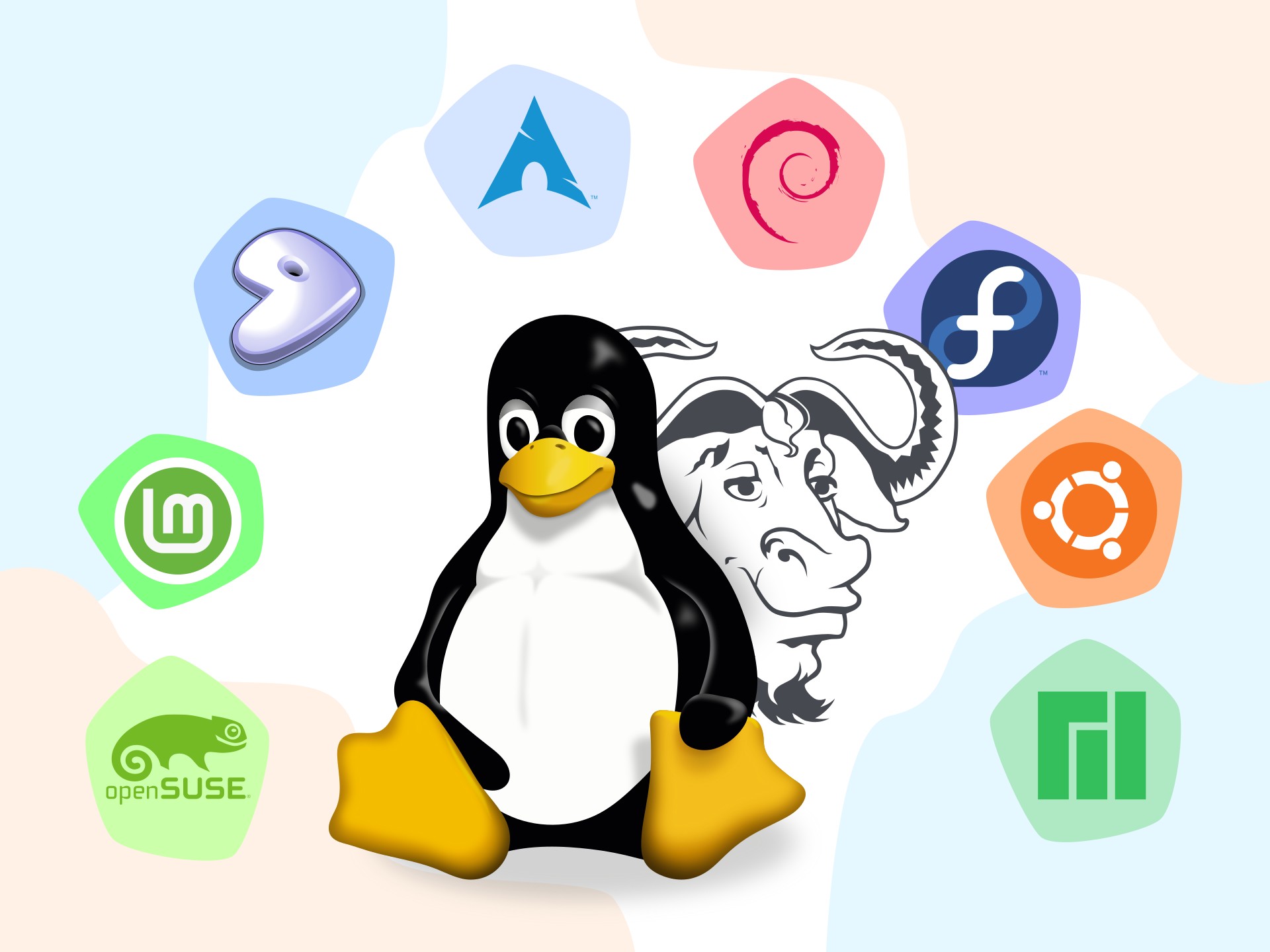
Freedom, security, reliability, free of charge... The arguments in favor of Linux are generally well-known, but they are not necessarily understood or taken seriously. Let’s say that outside of a committed community, these arguments seem superficial, akin to advertising. In this article, we propose to save the arguments for the end. We believe it is useful to first explain what Linux is, to grasp the importance of adopting it.
What Is Linux?
Linux is a project launched by Linus Torvalds in 1991. It is a kernel, which is the essential component for the functioning of an operating system (OS).
The kernel is the software that runs continuously and manages a computer’s hardware: processor, memory, and peripherals (hard drive, network card, keyboard, monitor, etc.). All other parts of the system—graphical interfaces, applications, and utilities—go through the kernel to access these resources. The kernel translates program requests into concrete actions on the peripherals (for example, writing a file to the hard drive), it schedules processes (which program uses the processor at what time), it allocates and frees memory (RAM) for each application...
Why Is It Also Called GNU/Linux?
To create a complete operating system, other projects provide the tools and programs that complement the kernel. In particular, the GNU project (pronounced like the animal, a large African antelope), launched in 1983 by Richard Stallman to create a fully free (libre)1 operating system. This project is now maintained by the Free Software Foundation (FSF). GNU provides, among other things, a compiler (gcc) and other development tools, text editors (emacs, nano), a command-line interface (bash), and tools for manipulating files (copying, pasting, renaming, moving files, etc.). Without a kernel, GNU tools cannot function on their own. In 1991, the GNU project was working on a kernel (Hurd), but its development was not successful. At that time, without the GNU tools, the Linux kernel could not provide a usable interface. This is why some people prefer to refer to the system as GNU/Linux in order to acknowledge the major contribution of the GNU project. Often, the term Linux is used to refer to an operating system based on the Linux kernel and not just to refer to the kernel in the strict sense.
What Is a Linux Distribution?
GNU and Linux tools are free software: their source code is freely available, viewable, modifiable, and redistributable by anyone (read our article on free software). This characteristic has given rise to hundreds of Linux distributions. Distributions can be defined as different variants of a Linux system. A distribution combines a Linux kernel with a coherent selection of software to provide a complete system. Each distribution addresses different needs, such as ease of use for the general public, lightness to run on low-powered hardware, stability and security for servers or critical services, specialization for industrial tools or advanced developers... These needs guide the choice of software and its versions: typically, a newer version to incorporate new features versus an older, proven version for greater stability and security.
Here are a few examples of popular Linux distributions:
- Ubuntu and Linux Mint are designed to be beginner-friendly and have a vibrant community that provides support on forums and wikis.
- Debian GNU/Linux is known for its versatility, stability, and commitment to free software.
- Fedora focuses on integrating new technologies and also benefits from strong community support. It is sponsored by Red Hat, the world’s leading distributor of the GNU/Linux operating system.
- openSUSE is a community-driven distribution sponsored by the company SUSE, one of the first companies, along with Red Hat, to have distributed commercial versions of GNU/Linux.
- Arch Linux and Gentoo are community-driven distributions intended for advanced users, emphasizing simplicity and adherence to the free software philosophy.
Freedom leads to diversity, and there are hundreds of Linux distributions. This can be confusing for new users, who are generally accustomed to standardized non-free operating systems where everything is pre-installed according to the choices of the companies that sell them. Don’t stress when choosing a Linux distribution, because there are no wrong choices: everyone finds their own path, and no one is tied to a particular distribution; in fact, it’s common to switch as you gain experience.
What Is a Graphical Environment?
All mainstream operating systems offer a graphical environment. It’s therefore quite commonplace, but it’s worth reminding ourselves what it is. Because on this point as well, Linux is characterized by diversity: you can choose from several graphical environments. Each Linux distribution offers a default option, so two distributions may appear very similar or very different.
A graphical environment allows you to interact with the computer through a graphical user interface rather than using text-based commands. It is also referred to as a desktop environment (DE), using the metaphor of a desk as a workspace. With the rise of mobile devices, such as phones and tablets, this metaphor is becoming less relevant, giving way to the term graphical user interface (GUI).
A graphical environment consists of various components. In general terms:
- The window manager. This is the component that controls how windows open, move, resize, and overlap.
- The taskbar. Usually located at the top or bottom of the screen, it displays the main menu, icons for open applications, the time, and more. It provides quick access to common functions.
- The file manager. This is the application that allows you to browse folders, copy and paste files, create directories, and so on.
- Themes and icons. These define the visual appearance: colors, button shapes, fonts, and so on. You can usually change these elements to customize the desktop.
- Basic applications. A desktop environment usually includes a few essential programs for common tasks, such as a text editor, an image viewer, a media player, an office suite...
The most common environments in Linux are GNOME, KDE Plasma, XFCE, Cinnamon, MATE, and LXQt. They serve different purposes: some are minimalist, others are feature-rich; some allow for extensive customization, while others offer a lightweight system... And some graphical environments aim to resemble another operating system (such as Windows or Mac) so as not to disrupt users’ habits and to make it easier for them to adopt Linux.
What Are Packages and Package Managers?
A package is an archive containing everything needed to install, update, and remove software on a Linux distribution. This archive includes executable files, installation and uninstallation scripts, default configuration files, documentation, and more. Thanks to the information contained in the archive, packages are handled by the package manager in a simple and reliable manner, without having to manually manage each file.
Package formats vary by distribution. For example:
| Package format | Distributions | Package managers |
|---|---|---|
| .deb | Debian, Ubuntu, Linux Mint | apt, dpkg |
| .rpm | Red Hat, Fedora, openSUSE | yum, dnf, zypper |
| .pkg.tar.zst | Arch Linux | pacman |
Alongside the package managers specific to each distribution, “universal” application systems have emerged—that is, systems that work on any distribution. The goal is to simplify things for users and developers. AppImage, one of the pioneers, prioritizes portability and ease of use. Flatpak and Snap add a security focus through application isolation (sandboxing), as well as app stores (Flathub and Snap Store) and centralized update management.
Why Use Linux?
Linux is free software: its code is accessible to everyone, modifiable, and redistributable. This transparency allows you to verify what is actually happening on your machine.
As we’ve seen, freedom and diversity go hand in hand, so Linux offers unlimited possibilities for customization.
Linux is a secure system by design. This is thanks to its permission model, which isolates applications and limits their privileges; and thanks to rapid updates, made possible by a community that constantly releases patches, often available within a few hours. Security also means respect for our privacy. On a system composed entirely of free software, there is no collection of personal data, no built-in telemetry services, and no mandatory accounts. The transparency of the source code allows us to verify and confirm this.
Linux is a high-performance and lightweight system that runs perfectly on older or modestly equipped hardware (netbooks, Raspberry Pi, secondhand computers), particularly thanks to specialized distributions that optimize the selection of the most suitable programs for these machines. Linux is therefore also an economical and ecological choice for extending the lifespan of devices, reducing electronic waste, and combating planned obsolescence.
Linux offers a rich and free ecosystem. There is high-quality free (libre) software available at no cost for all common needs: web browsers (Firefox), office suites (LibreOffice), photo editing (GIMP), video players (VLC)... everything is at your fingertips via package managers and app stores (Flathub and Snap Store).
Linux is particularly stable and reliable. This is evidenced by the millions of web servers, supercomputers, and cloud infrastructures running on Linux. It is a proven system for production environments. In fact, more and more professional applications run on Linux, such as Bitwig for music production or DaVinci Resolve for video production. Free (libre) alternatives exist (Ardour, Blender), but the choice of a professional application may depend on other criteria... A professional workstation can function very well with Linux.
Linux is also increasingly recommended for video games. There are free (libre) games to satisfy casual gamers, and for hardcore gamers, a large number of commercial games are also compatible. Emulators for just about every console run on Linux. More and more Windows games also run perfectly, using free (libre) tools like Wine, Lutris, and Heroic Launcher or via the Steam platform (non-free). And of course, there are specialized distributions for gaming, such as GLF OS, Bazzite, or Valve’s SteamOS.
Linux isn’t just an operating system; it’s also a movement that puts the community at the heart of computing. Forums, mailing lists, support sites, and other communication tools offer free (at no cost) and responsive support. If you run into a problem, there’s always someone ready to help, including in Linux User Groups (LUG), local associations that meet regularly to promote the use of Linux and free (libre) software, and organize workshops, conferences, and more. There is likely a group near you. The community aspect is also reflected in the accessibility of the source code: with a little experience, anyone can contribute to the project’s development.
In comparison, proprietary systems2 force users to conform to a black box, whose underlying code cannot be viewed or modified and whose customization remains very limited. The publishers of these systems impose higher hardware requirements, as seen with the Windows 11 update, which deliberately renders millions of perfectly functional machines obsolete. These systems consume more resources in the background, particularly for the massive collection of private data without their customers’ knowledge... who pay for it. Go figure.
In Conclusion
If you’ve taken the time to read this far, it’s clear that Linux has won you over. All that’s left is for us to wish you a wonderful journey into the world of Linux and free software!
And be sure to choose free (libre) services too!
-
The adjective free in English is commonly used in one of two meanings: "at no monetary cost" (gratis) or "with little or no restriction" (libre). This ambiguity can cause issues where the distinction is important, that is why we use "(libre)" alongside free. Richard Stallman, advocate of free software and founder of GNU, recommends using the slogan: "Think free as in free speech, not free beer." This basically means: "Think free as in libre, not gratis." (from Wikipedia) ↩
-
By analogy with proprietary software. The Free Software Foundation offers the following definition: "Proprietary software, also called nonfree software, means software that doesn't respect users' freedom and community. A proprietary program puts its developer or owner in a position of power over its users.", Proprietary Software Is Often Malware ↩